

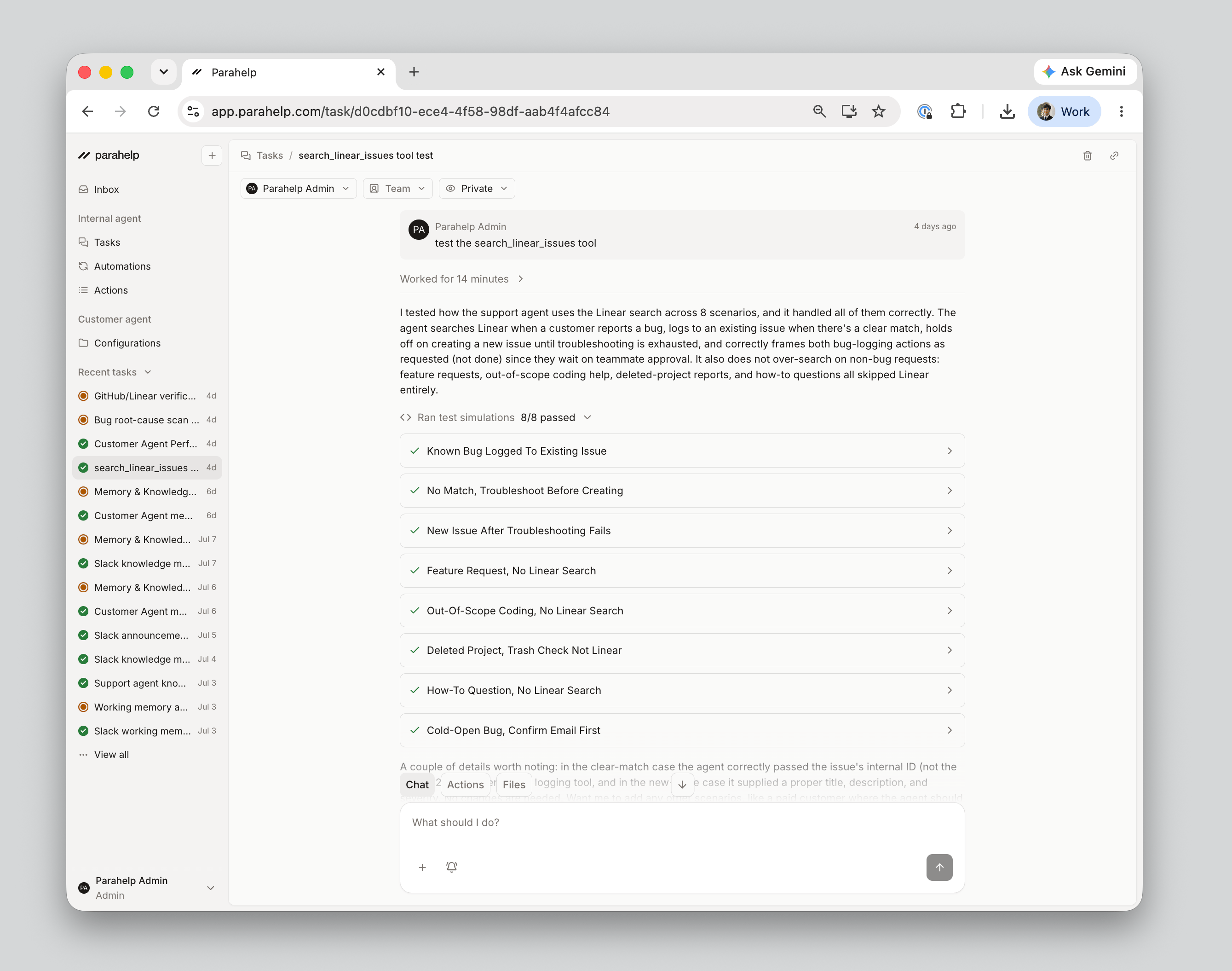
How it works
1
Describe the scenario
Prompt the Internal Agent in the task with what to test. It reads your Customer Agent’s configurations and tool code, so it knows every state your tools can return and builds realistic mock data around them.
2
It runs the simulation
Every test runs in a sandbox that mirrors production. Simulations replay your historical tickets - or mock scenarios - against the configurations in the task, and production tests verify your tool connections. Unpublished changes run as if they were live, so you verify the new behavior before you release.
3
Review the results
Each test comes back with a summary, the steps taken, and an evaluation: passed, neutral, or failed. Dig into any case to inspect the agent’s reasoning, the full reply, and every tool call.
Example scenarios
- A described scenario: “Test how the customer agent handles a ticket from a business user asking for a refund.”
- A real ticket: Replay a historical ticket - or paste one in - and see how the Customer Agent would have handled it with the draft changes in place.
- A specific customer state: The Internal Agent knows what your tools can return, so you can simulate an enterprise user, a plan with no credits left, or a failed payment.
- A conversation: Simulate multi-step exchanges, or continue a finished simulation with one more customer message.
- Your guardrails: See transfers, approval gates, and coded rules in action before going live (see Guardrails).
Next: publish the change. See Release.