

How it works
1
Review the pending action
Changes land in the “Actions” tab of the task. Open the diff to see exactly what will change.
2
Approve it
Admins approve and publish. Operators can draft and propose. By default, every action requires manual approval.
3
It goes live
Configuration actions publish as a release on the Releases page, where you can track the impact and revert with one click.
Actions and approvals
When the Internal Agent suggests a change in a task, such as a Customer Agent configuration update, a customer follow-up, or a new Linear issue, it lands in the “Actions” tab as a pending action. Each action has one of these states:- Pending approval: waiting for you to review.
- Approved: once approved, the action will execute.
The Releases page
The Releases page is a changelog that holds every update you or the team has made to your Customer Agent. Use it to stay in sync on updates made across the team.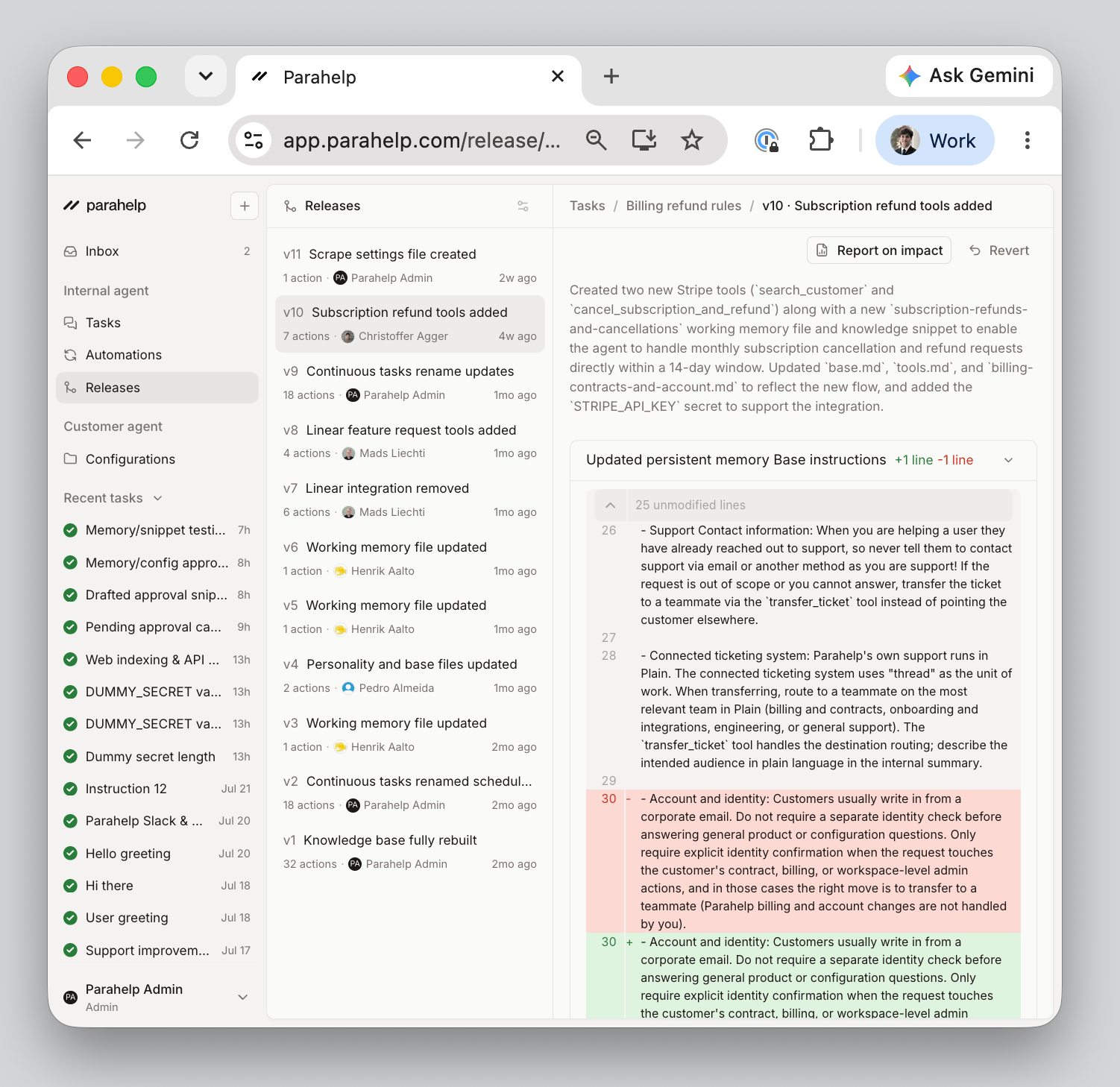
Change control
The agent’s behavior can only change through a release you approve. Every configuration update the Internal Agent drafts is tested against real scenarios (see Test) and staged as an action, where you review the exact diff before anything goes live. There’s no path from suggestion to production that skips your team.Release hygiene
Publish releases as soon as they’re ready. Your team collaborates on one shared configuration, so publishing promptly keeps everyone editing the same version. If you get out of sync, you will encounter a merge conflict and will not be able to publish your release.Example: Let’s say you made an update to a refund file without publishing it. Your teammate then published another change to the same refund file. Now you have a merge conflict because the refund file with your change differs from the updated refund file. You now have to recreate your change on the new memory file.
Next: keep your agent improving after it ships. See Improve.